
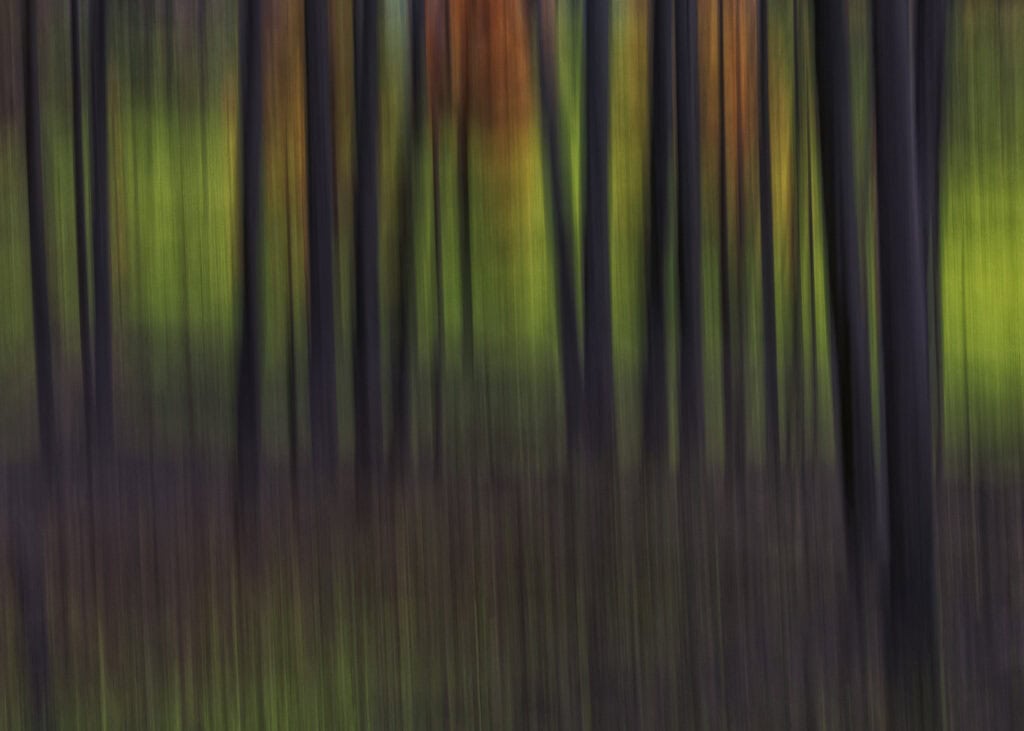
Intentional camera movement, or ICM, is an excellent way to create beautiful abstract images. The motion of the camera creates artistic and dynamic images that appear as streaks of light. The ICM technique is simple, and the results can be very satisfying.
ICM techniques have been used across multiple genres and subjects such as street photography, landscape, nature and sports photography.
During an outing at the Central Library in Calgary, I challenged myself to find different scenes other than the architecture. The Central Library is a beautiful building and is an often photographed subject. During the tour, I created ICM images of children’s books and had immense fun sliding around on the floor, exploring the colourful books.
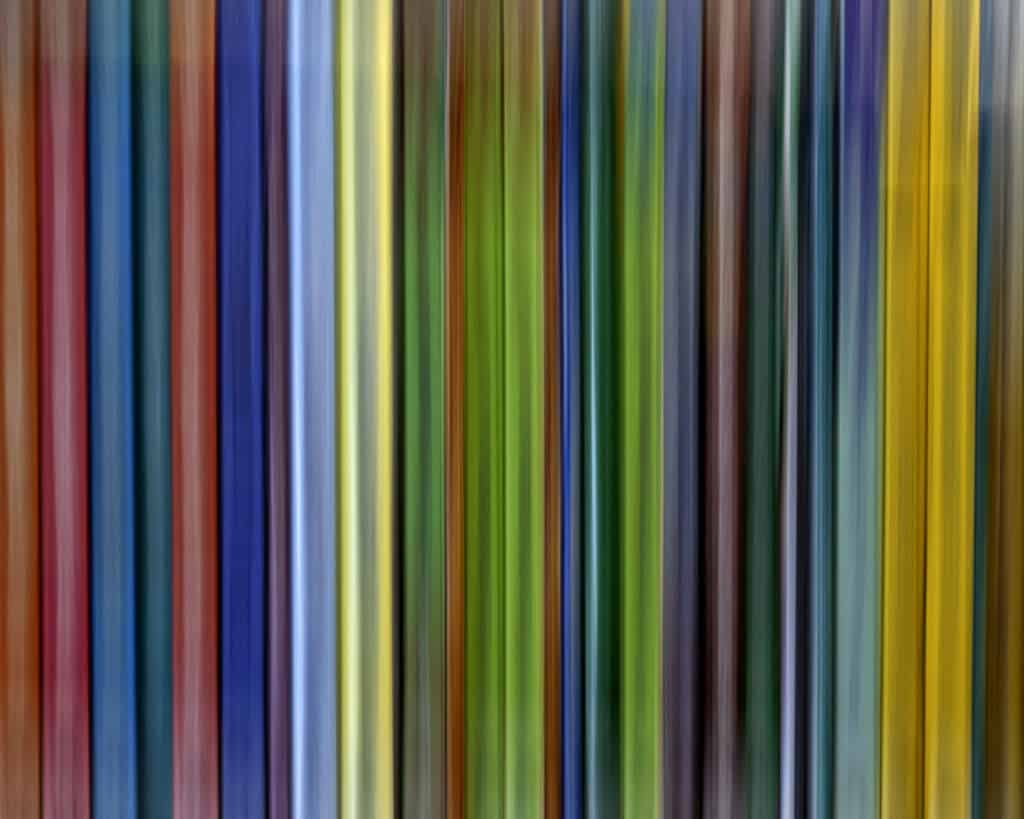
The camera settings for this image were f11, ISO 200, 1.3 seconds, with a 90mm lens. In addition, a variable neutral density filter was applied to ensure the longer shutter speed. It did take a few tries to get the smoothness in the motion that I was looking for, and it was quite fun.
The list of possible subjects for ICM images is endless. I found that the best subjects tended to have bright colours, excellent contrast, and repeating patterns. The variability and dreaminess of the image relies on the patience of the maker and the maker’s willingness to try different shutter speeds.
But what if you could create an ICM image from a regular image? Can you instill dreamy motion to a static scene? Excellent news, you can. Even better, it can be created using non-destructive editing techniques in Photoshop.
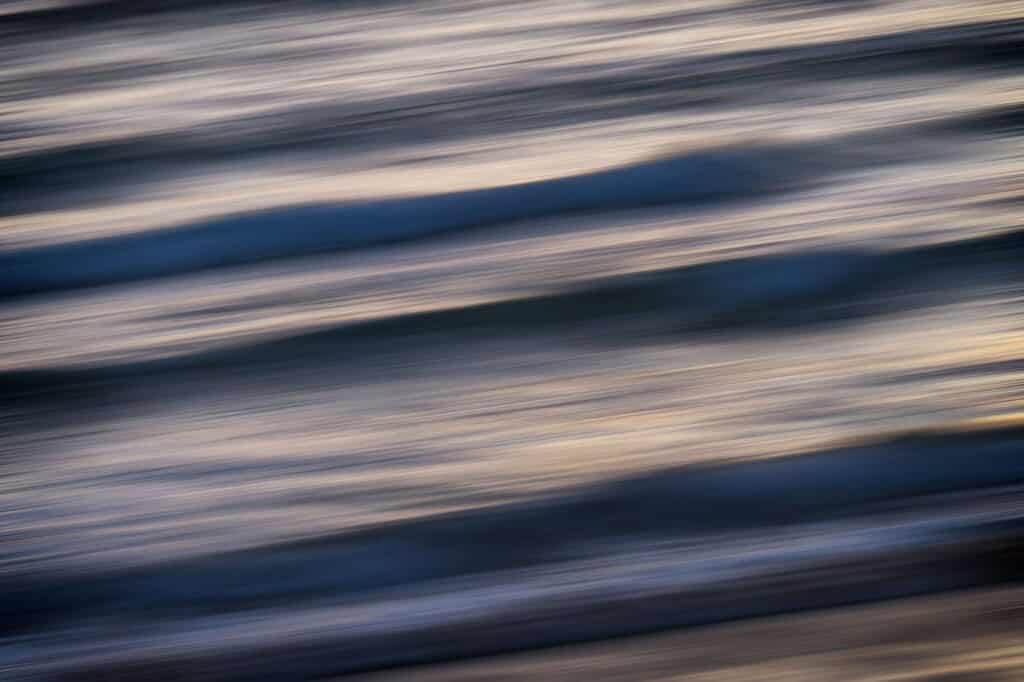
While on vacation in California, I watched the ocean waves create interesting patterns across my scene. To my eye, this worked for ICM.

Image adjustments were completed in Lightroom to add colour and contrast. The image was finished in Photoshop. To edit this image nondestructively, the background layer or collection of layers must be turned into a smart object.
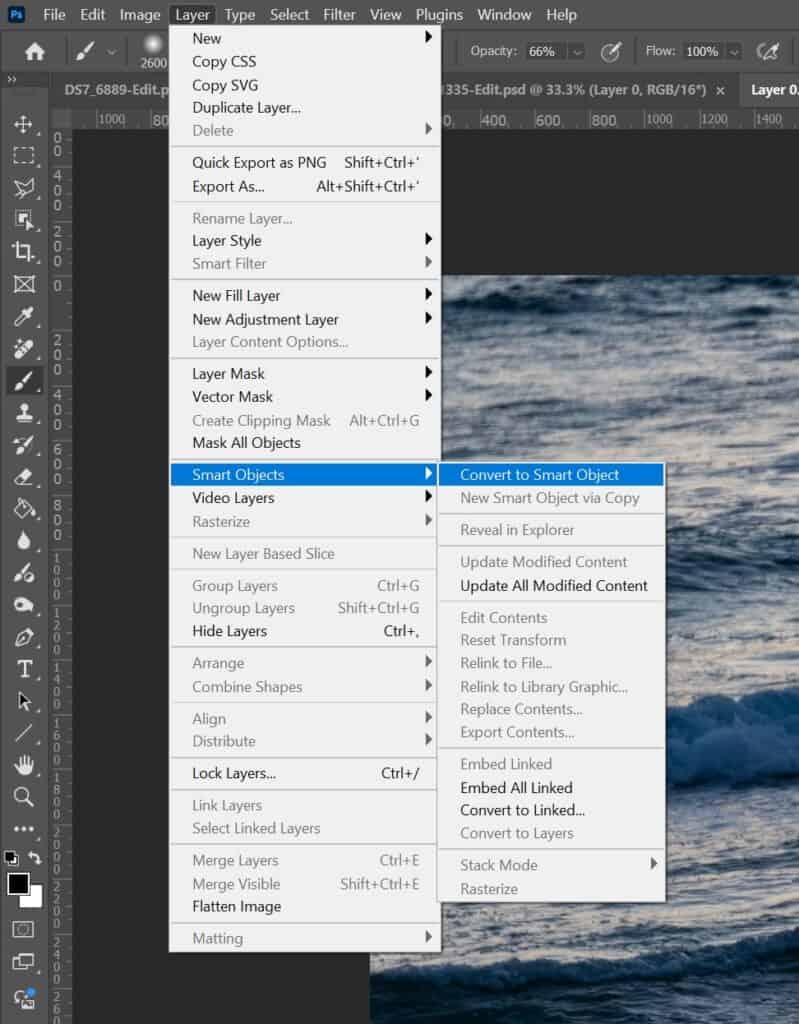
By converting your layer(s) to a smart object, powerful editing filters can be applied to the smart object which do not modify or damage the original source layers of the smart object.
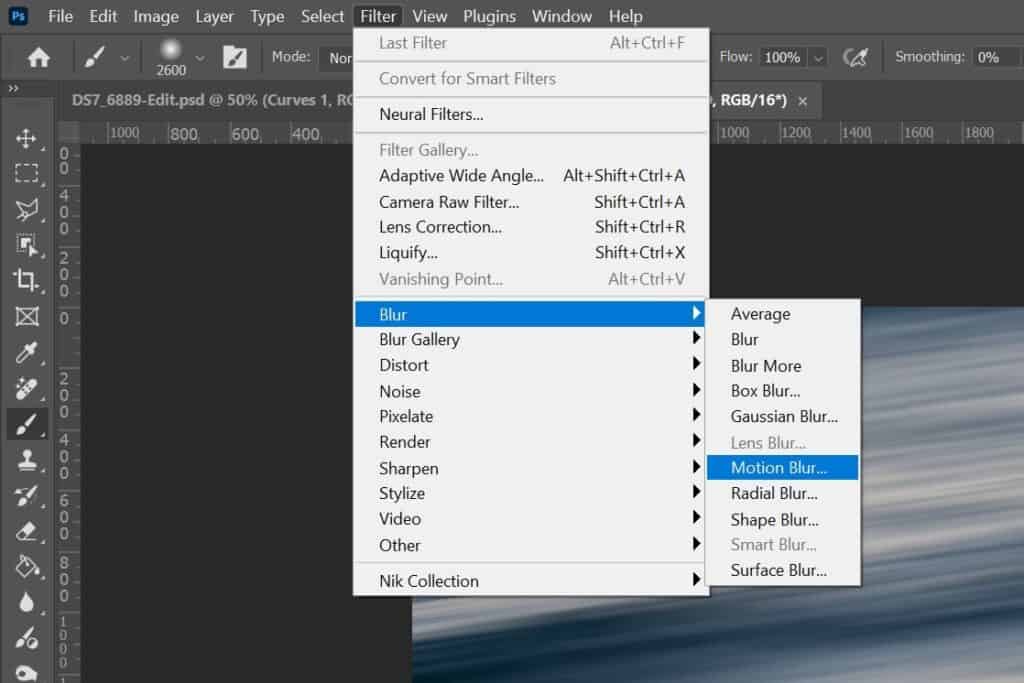
Once the smart object is created, any filter from the Filter menu applied to the smart object will now become a smart filter. Smart filters can be modified after they have been created in order to reduce or strengthen the effect applied nondestructively to the original smart object.
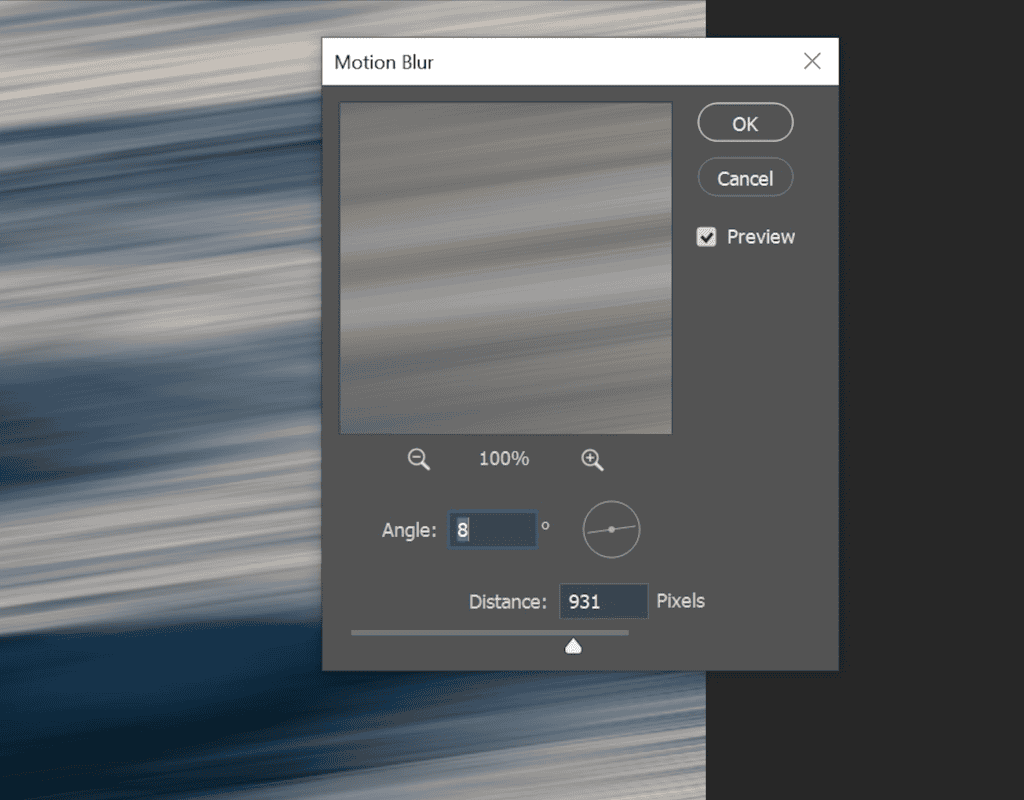
For the wave image, I explored the settings of angle and distance and made adjustments that suited the effect I was looking for. I wanted to match the angle of my composition and extend the length of the waves. With the preview option activated, I was able to see the adjustments occur in real-time during the editing process.
And just like that.
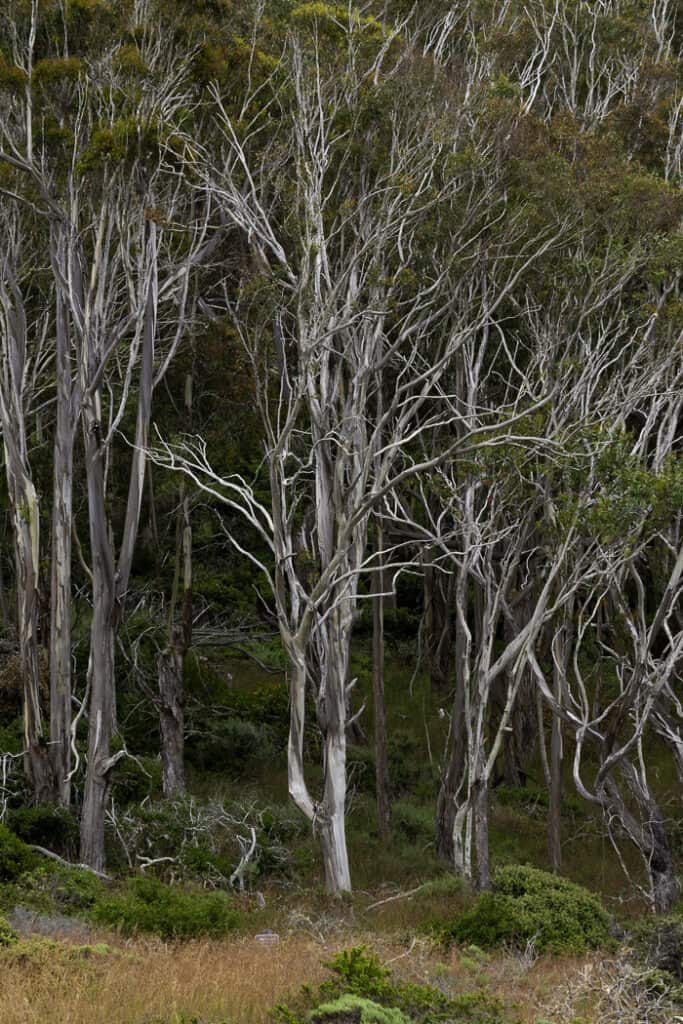
I tried this technique with another subject. The next image was taken from the Montana de Oro park in California while on the same vacation. The park had numerous parking areas to view the forests of eucalyptus trees. The white peeling bark and darker background provided an opportunity to create an ICM image of a nice forest scene.
With the smart object method to create the ICM image, I applied the brush tool with a black mask, and painted the ground to reduce the effect. This was useful to show the source objects of the original image and give a clue to the solid elements within the composition.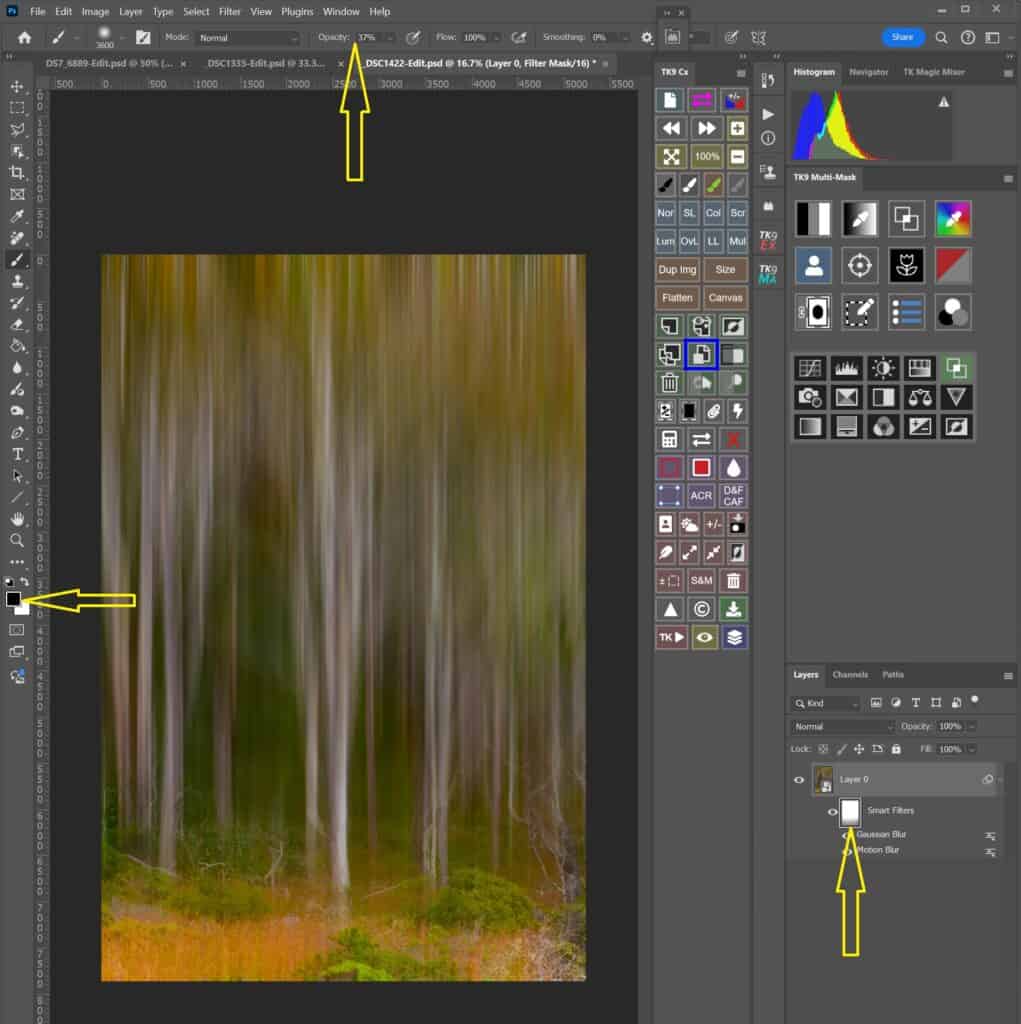
Using nondestructive editing techniques, makers can preserve the original image without making drastic changes to the original pixels. Using smart objects paired with smart filters, makers can refine and adjust images, knowing the original pixels are protected.
Give this method a try and have fun with it.
*All images are courtesy of Dan Sigouin